 Ossium in Low Budget
The ultimate hub for open-source contributors.
Discover open-source projects, issues, and bounties from across the ecosystem.
1500+ developers use Ossium — its free & no login required.
Some of the companies that support ossium




What you can do in ossium
Main tools are on top. Click one to see what it does. More tools are listed below.
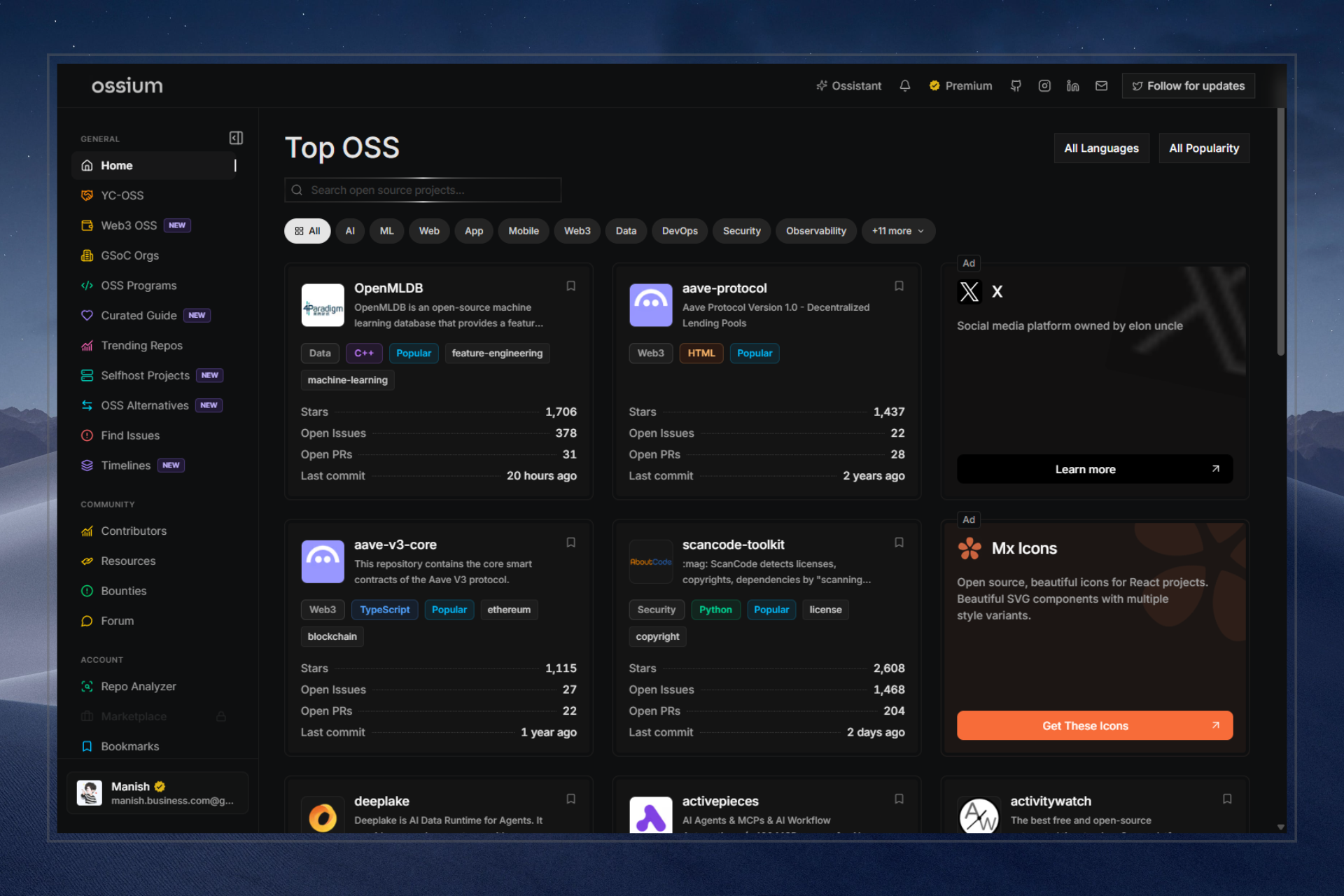
Browse good open source projects
A simple list of strong projects you can contribute to. No endless searching.
- Hand-picked projects, not random noise
- Jump to issues, trending, or programs from here
- Free to explore — no login needed
More features
What builders are saying
Real feedback from Real <Developers /> on Ossium
What is Ossium?
Ossium is a platform built to help developers discover and contribute to meaningful open source projects. It features curated feeds, powerful search and filters, a GSoC-focused discovery, issue exploration (especially good-first-issues), bounties, programs, GitHub Selfbot for maintainers, and a community forum to share experiences and get help.
How can I find open source projects to contribute to?
Start on the Home page for trending and recommended projects. Use the powerful search and filters (by language, topics, stars, recency, etc.). The Issues page highlights beginner-friendly issues tagged 'good first issue' or 'help wanted'.
Is Ossium really free?
Yes. The entire core experience (browsing, searching, GSoC tools, issues, forum, etc.) is free. You don't need an account to explore projects. Login is only required for personalized features such as alerts and GitHub Selfbot. Optional Premium adds extras (more Selfbot capacity, advanced alerts) and may reduce ads.
How does Ossium rank or recommend projects?
We combine GitHub metrics (stars, recent activity, forks), contribution opportunities, freshness, and community signals. The goal is to surface high-quality, active projects—especially those welcoming new contributors—rather than just the most popular ones.
Can I add my own open source project to Ossium?
Yes! Go to the Eligibility page, review the guidelines, and submit your project. We manually review submissions for quality and active maintenance before listing them so the platform stays valuable for everyone.
How do I get started with contributing to open source?
1. Browse the Home feed and Issues page to find projects and tasks that match your skills. 2. Open work on GitHub and use GitHub’s notifications for your PRs and issues. 3. Optionally set Alert Rules on ossium for new matching issues. 4. Join the Community Forum to ask questions. Start small—documentation fixes, bug reports, or small features are great first steps.
What is GitHub Selfbot?
GitHub Selfbot lets maintainers install welcome/goodbye messages and custom /commands on their repos. Comments post as your GitHub account (OAuth), configured in the ossium UI—no workflow files. Free tier includes one repo; Premium unlocks more capacity. Open /home/bot after connecting GitHub.
How can I suggest new features or improvements?
The best way is to post in the Community Forum—the community can discuss and upvote ideas. You can also email help@ossium.in. We review suggestions and prioritize the most requested and impactful ones.
What is Ossium Premium?
Premium is an optional paid tier for users who want extras such as advanced alert rules, priority support, and early access to new features. Core functionality remains free. Premium also helps keep Ossium sustainable; free tiers may show ads.
Is there a community for developers to join?
Yes! Join our Discord community to connect with fellow developers, share projects, ask questions, and collaborate on open source. Hop in at discord.gg/5p4PeZ37H. You can also share experiences and get help in the Community Forum on Ossium.
Stand out in a crowded job market.
Contribute to open source, build a portfolio that speaks louder than a resume, and show employers what you can actually do.

 Mx Icons
Open source, beautiful icons for React projects. Beautiful SVG components with multiple style variants.